In many professional, industrial, and creative settings across the US, the usb b cable remains one of the most important connection solutions for specific types of equipment. Although sleek USB-C connectors dominate headlines and the familiar USB-A still powers daily gadgets, the square-shaped, sturdy USB-B design continues to fill a role that newer connectors cannot completely replace. It’s a cable built for stability, reliability, and frequent use without physical degradation, ensuring a dependable link between devices and host systems.
For people working in offices, studios, laboratories, or manufacturing plants, recognizing where and why USB-B is used can save time, reduce costs, and prevent equipment downtime. This guide explores the diverse devices that depend on USB-B connections, discusses the connector’s variations, and provides practical insights for choosing and maintaining the right cable in any US workplace.
Understanding the USB-B Connector
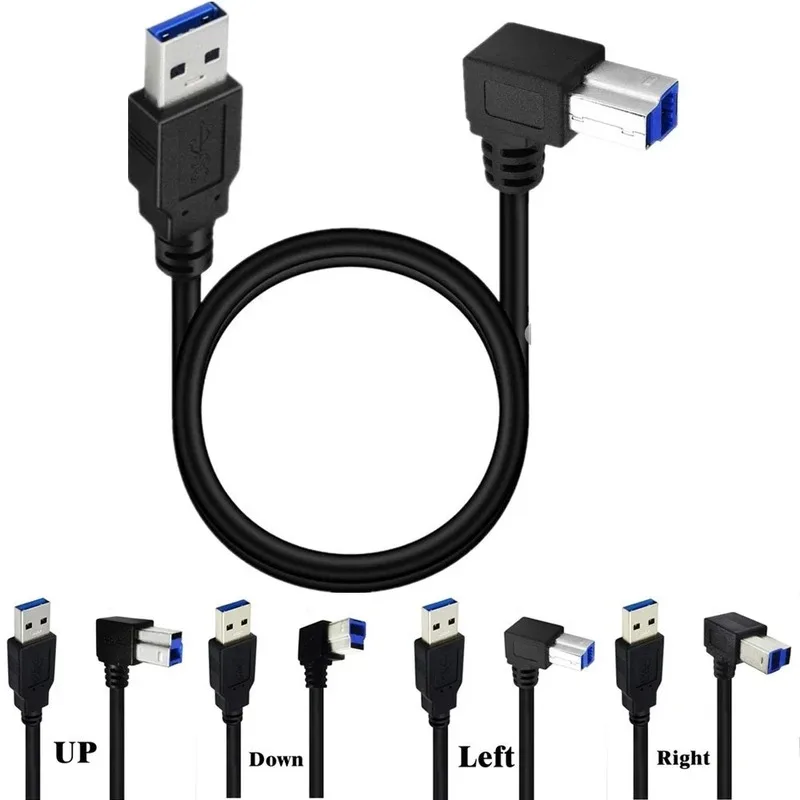
The USB-B connector typically sits on the “device end” of a cable, while a USB-A or USB-C sits on the “host end” connecting to a computer. Its square shape with beveled corners makes it easy to identify, and the design changes slightly depending on the version.
Main types:
- Standard USB-B: The most recognizable design, common in printers, scanners, and some professional audio equipment.
- Mini USB-B: Smaller, rectangular variant used in older portable devices like DSLR cameras or handheld recorders.
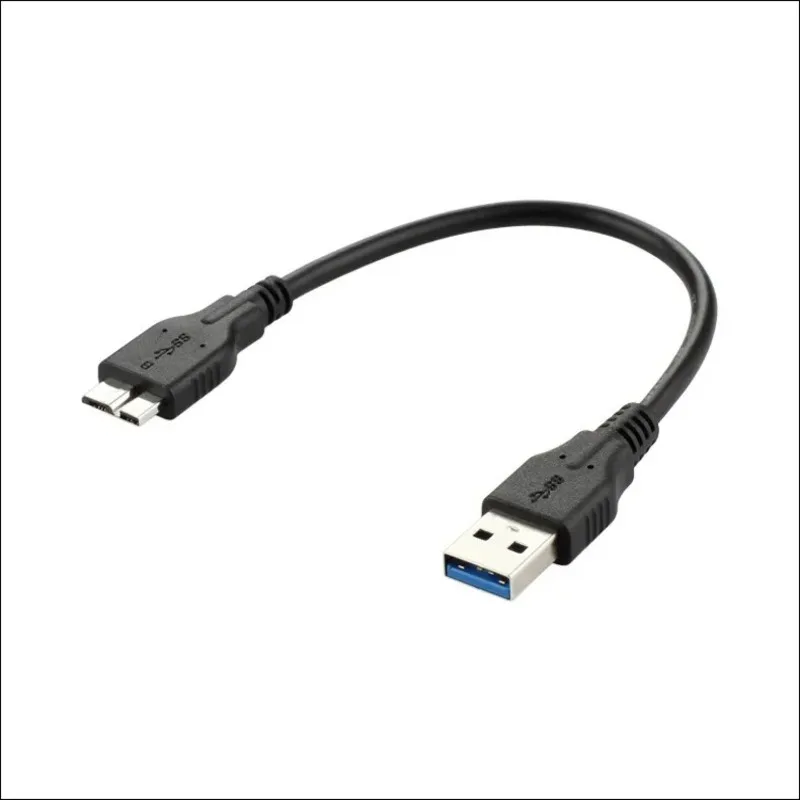
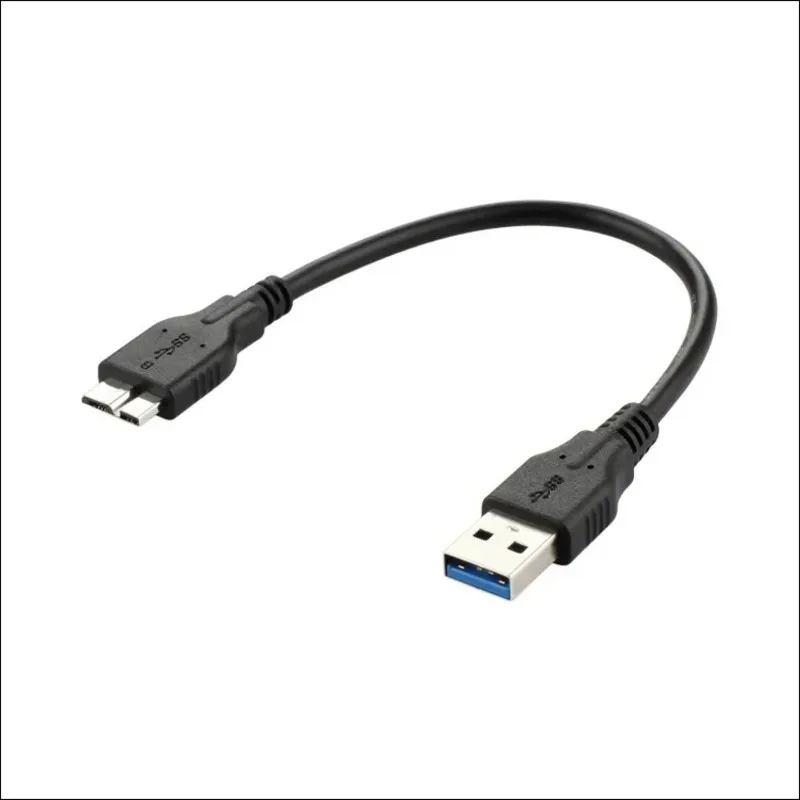
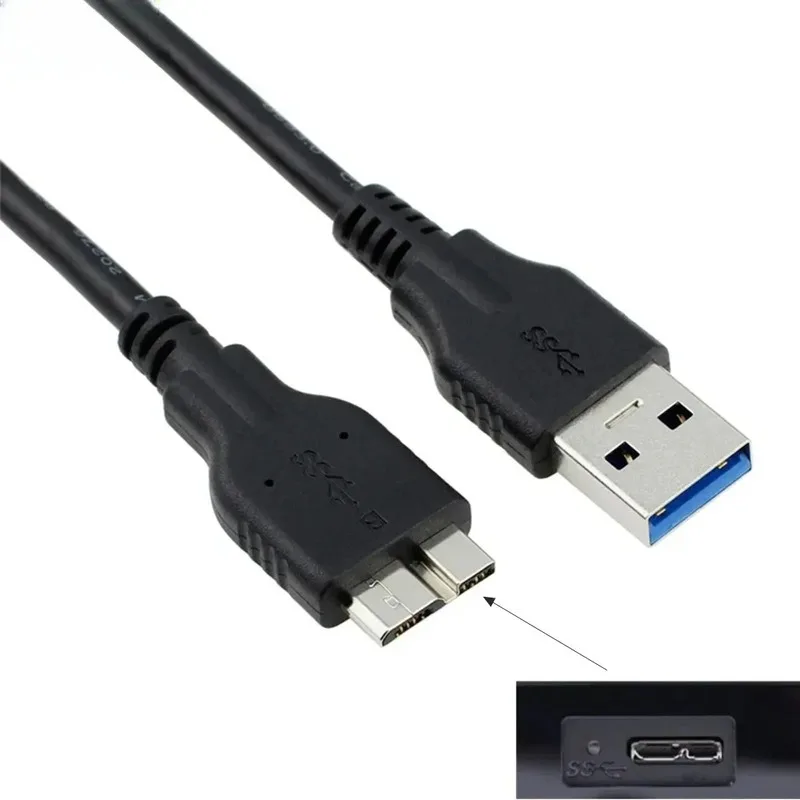
- Micro USB-B: Slim, lightweight connector for compact electronics such as older external hard drives.
- USB-B 3.0: Built for high-speed data transfers with extra pins, often highlighted in blue inside the connector.
USB-B was intentionally created to prioritize mechanical stability over portability. Its strong housing and firm fit make it resistant to vibration or accidental unplugging, which is crucial in professional and industrial applications.
Printers and Scanners
Printers and scanners are perhaps the most visible example of devices using a usb b cable. Even as wireless printing becomes more common in US homes, professional environments still favor physical connections.
Reasons for preference:
- Physical stability guarantees uninterrupted print jobs.
- Wired connections transfer large, detailed scan files without corruption.
- Industry-wide standardization means that most printers and scanners accept USB-B input.
In law offices, universities, and design studios, large-format printers and high-resolution scanners are almost always connected via USB-B, ensuring precision when producing contract documents, architectural blueprints, and fine art reproductions.
External Hard Drives and Data Storage
Desktop-style external hard drives and docking bays rely heavily on USB-B 3.0 connections. These devices often transfer gigabytes or even terabytes of data in one session.
Benefits:
- Speeds of up to 5 Gbps with USB-B 3.0.
- Strong connector fit to avoid accidental disconnect during backups.
- Compatibility with older USB standards for legacy systems.
Photographers, video editors, and IT professionals in the US often use a usb b cable as their go-to method for secure, high-speed file storage and retrieval. When the stakes involve entire project files or client archives, wired stability beats wireless convenience.
Audio Interfaces and Music Equipment
In music production, a clean signal path is essential. Audio interfaces, digital mixers, and MIDI controllers frequently use the usb b cable to connect to computers.
Why USB-B works well in audio gear:
- Minimal electronic interference ensures high-quality recording.
- Low-latency connection improves sync between instruments and software.
- Compatibility across all major DAWs (Digital Audio Workstations).
From bedroom producers to full-scale recording facilities in Nashville or Los Angeles, musicians trust USB-B to provide uninterrupted creative flow.
Industrial and Laboratory Equipment
In industrial and scientific settings, USB-B cables link machines, instruments, and control systems.
Examples include:
- CNC machinery in factories.
- Lab spectrometers and diagnostic analyzers.
- Test rigs for engineering quality control.
These devices often run continuously for hours or days, and a solid usb b cable connection prevents costly interruptions in processes or experiments.
Medical Devices and Diagnostic Tools
Within medical facilities across the US, certain diagnostic and monitoring devices utilize USB-B ports.
Reasons:
- Wired connections comply with strict data security standards.
- Devices like portable ultrasound machines depend on stable transfer for patient imaging.
- Mechanical reliability prevents disconnection during critical procedures.
Sensitive patient data travels securely through a physical cable, avoiding vulnerabilities that can exist with wireless transmission.
Cameras and Tethered Imaging
Some professional and semi-professional cameras, along with video capture devices, continue to depend on mini USB-B connectors.
Advantages:
- Stable tethering for studio shoots.
- Secure transfer of high-resolution RAW files.
- Proven workflows for older devices.
Photographers in the US often maintain a supply of usb b cable options to ensure compatibility with various camera generations during shoots.
Gaming Peripherals and Niche Controllers
Specialized gaming equipment, like flight simulators and arcade-style fight sticks, sometimes incorporates USB-B connectors.
Why it’s used:
- Robust build for physically demanding inputs.
- Direct wired connection reduces input lag.
- Easy fit into custom-built gaming rigs.
Choosing the Right USB-B Cable
When selecting a cable, consider:
- Connector type (standard, mini, micro, 3.0).
- Speed requirement — USB 2.0 for basic tasks, USB 3.0 for high-speed.
- Length suited for your workspace.
- Quality — reinforced connectors, braided shielding for durability.
Buying one or two premium cables is often smarter than stocking several low-quality spares.
Common Mistakes to Avoid
Even the correct cable can fail if misused:
- Using slower-generation cables for high-speed devices.
- Forcing the connector into an incompatible port.
- Ignoring dust buildup inside ports.
- Storing cables with tight bends that strain internal wires.
Maintaining Cable Health
To keep your usb b cable performing at its best:
- Coil loosely when storing.
- Clean connectors quarterly.
- Avoid extreme temperature environments.
- Do not pull the cable out by the wire.
The Future of USB-B in a USB-C World
USB-C adoption is accelerating, but USB-B still holds strong in industries valuing proven stability. Printers, scanners, audio interfaces, and lab instruments will likely continue to feature USB-B connections, keeping the cable relevant in the US market for at least another decade.
Final Thoughts
The usb b cable remains a backbone of connectivity for an impressive range of devices — printers, hard drives, audio mixers, industrial equipment, medical devices, cameras, and more. Its durability and consistent performance give it a valued place in professional environments across the US.
Whether you’re printing legal documents, backing up expansive media projects, recording music, monitoring patients, or running manufacturing machinery, the right usb b cable offers the dependable link you need. In settings where performance matters most, it remains the gold standard for secure wired connections.